Download Instagram
Photos
Instantly
Paste any Instagram photo link and save it in full HD quality.
No signup, no app required.
/reel/ · /p/ · /tv/
Free Instagram Video & Photo Downloader — No Watermark, No Login
ReelDown is the fastest free Instagram downloader online. Download Instagram Videos, Reels, Photos, Stories, IGTV and Carousel posts in HD quality — no watermark, no login, no app required. Works on iPhone, Android, and PC.
🎬 Start downloading Instagram videos freeHow to download from Instagram?
Follow these three easy steps to download video, reels, and photo from Instagram.
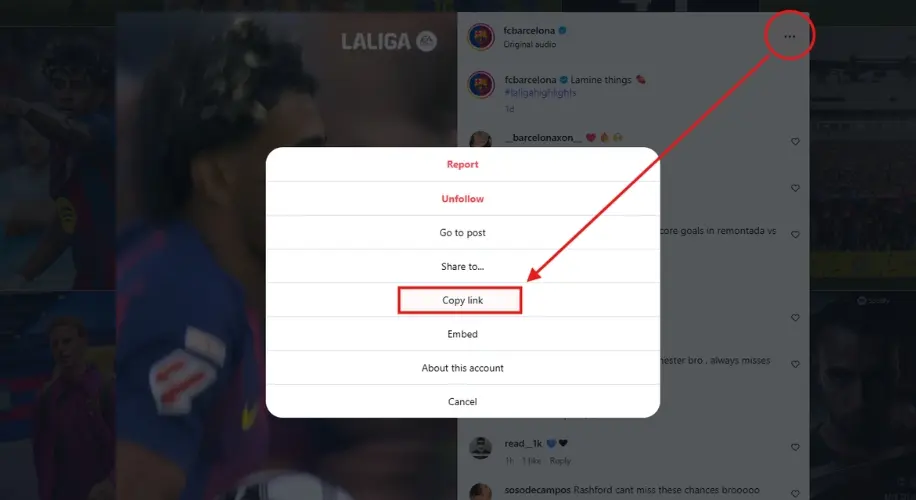
Copy the Instagram Link
Open Instagram and find any public video, Reel, photo, Story or IGTV. Tap the three dots (⋯) and select "Copy Link". On desktop, copy the URL from your browser address bar.
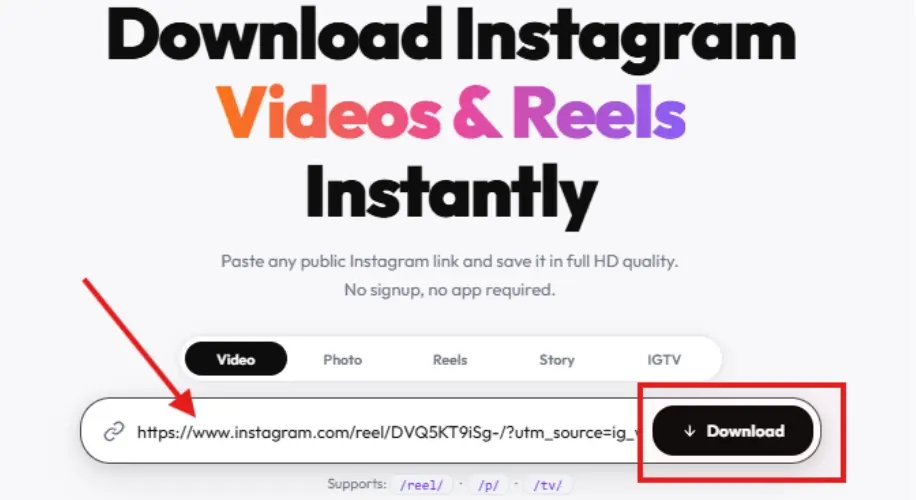
Paste the Link into ReelDown
Go to reeldown.app and paste the Instagram link into the search box. Tap the Paste button or use Ctrl+V. ReelDown will automatically detect the content type.
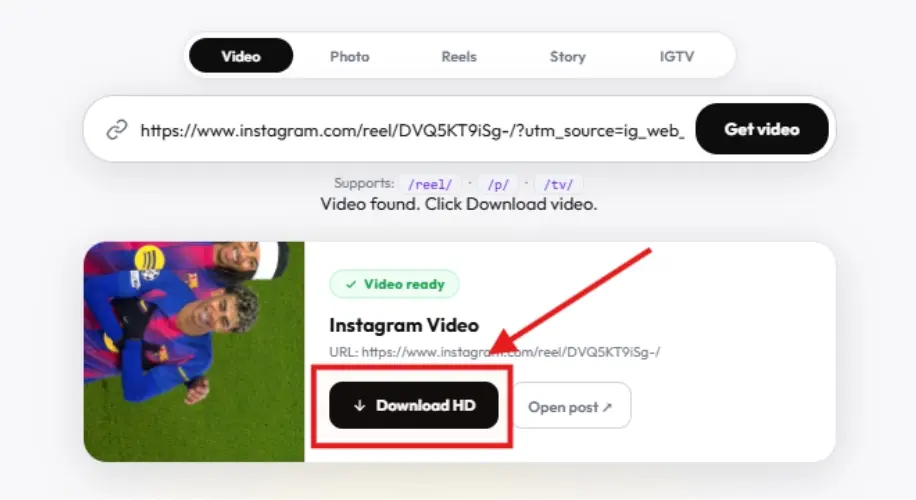
Download in HD Quality
Click Download HD and your file saves instantly. Videos as MP4, photos as JPG — highest quality, no watermark, no compression.
Download Instagram content from your address bar
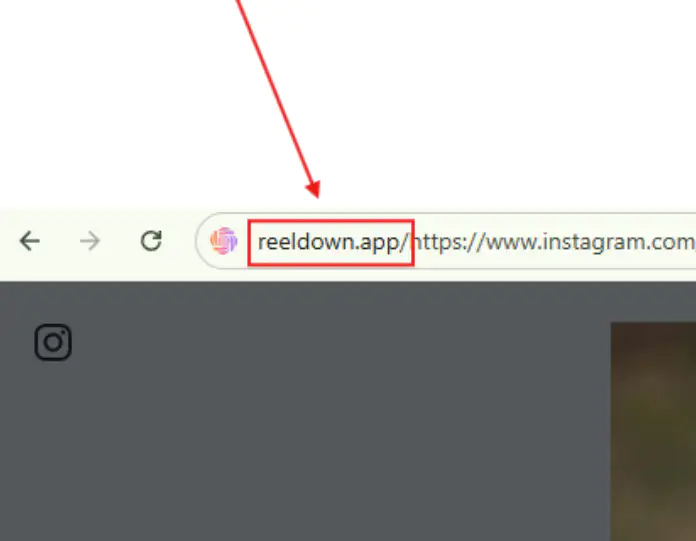
Choose ReelDown for download from Instagram
Downloading videos from Instagram in just two clicks without compromising on quality.
Fast download
Our servers are optimized to provide the fastest download speeds.
Support for all devices
Whether on mobile, tablet, or desktop, ReelDown has got you covered.
High quality
Download Instagram content in its original quality without any loss.
Security
We prioritize your privacy. No login required, all downloads are processed securely.
Instagram Photo Downloader — Free, Original Quality
Download Instagram Photos in full resolution — no watermark, no login, completely free.
Instagram Photo Downloader — Original Quality
Download any public Instagram photo up to 1080px. ReelDown is the fastest way to save Instagram photos without screenshots. Works for single posts and carousel albums.
⬇️ Download Instagram Photos freeLightning Fast
Videos fetched and ready in under 3 seconds via our server.
Zero Storage
We never save your videos or any personal data. Fully private.
Full HD Always
Always the highest quality — no compression, no logos.
Any Device
Works perfectly on phones, tablets and desktops. No app needed.
Frequently asked questions (FAQ)
Common questions about ReelDown downloader.